Single Video
Multiple Videos (up to 5)
Supported formats: full link, path, or plain ID

Follow these simple steps to get the video link from Sora
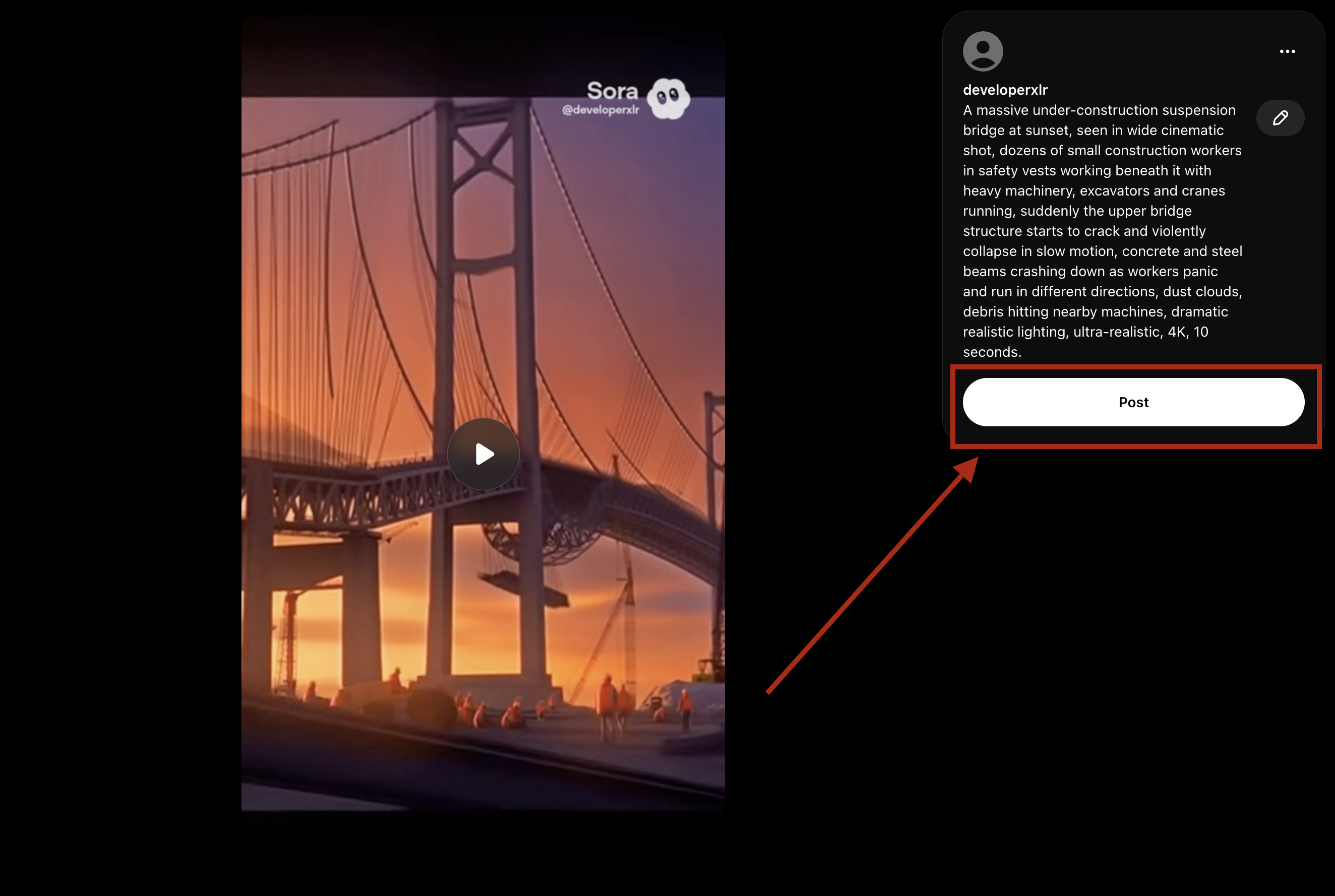
First, create and post your video on Sora. Click the "Post" button to publish your video (see the red arrow pointing to the Post button in the screenshot).
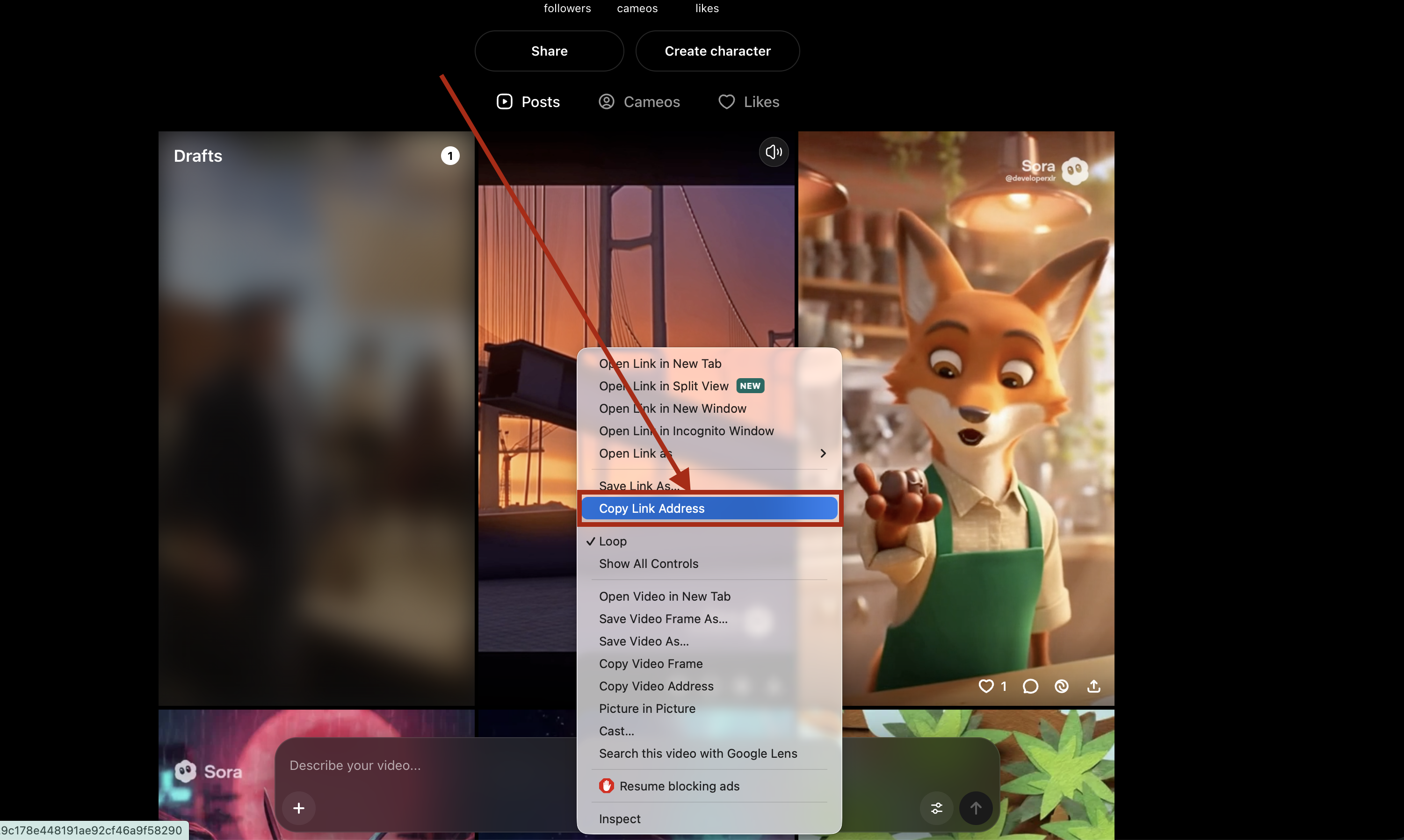
After posting, navigate to your profile section where all your posted videos are displayed. You can access your profile to view all your published videos.
Right-click on the video you want to download in your profile section, then select "Copy Link Address" from the context menu (see the red box highlighting the "Copy Link Address" option in the screenshot).
Paste the copied link into the input field above and click "Analyze Video" to start downloading your video.
Tip: You can also copy the link directly from the browser's address bar when viewing the video.